Attention: Sign up to get 100 credits for free!
SRW Battle Scene Generator
Transform any character into Super Robot Wars style battle cutscenes. SD pixel sprites, energy cut-ins, technique windows - all in one click.
50-80 credits per generation. Try free with 50 credits.
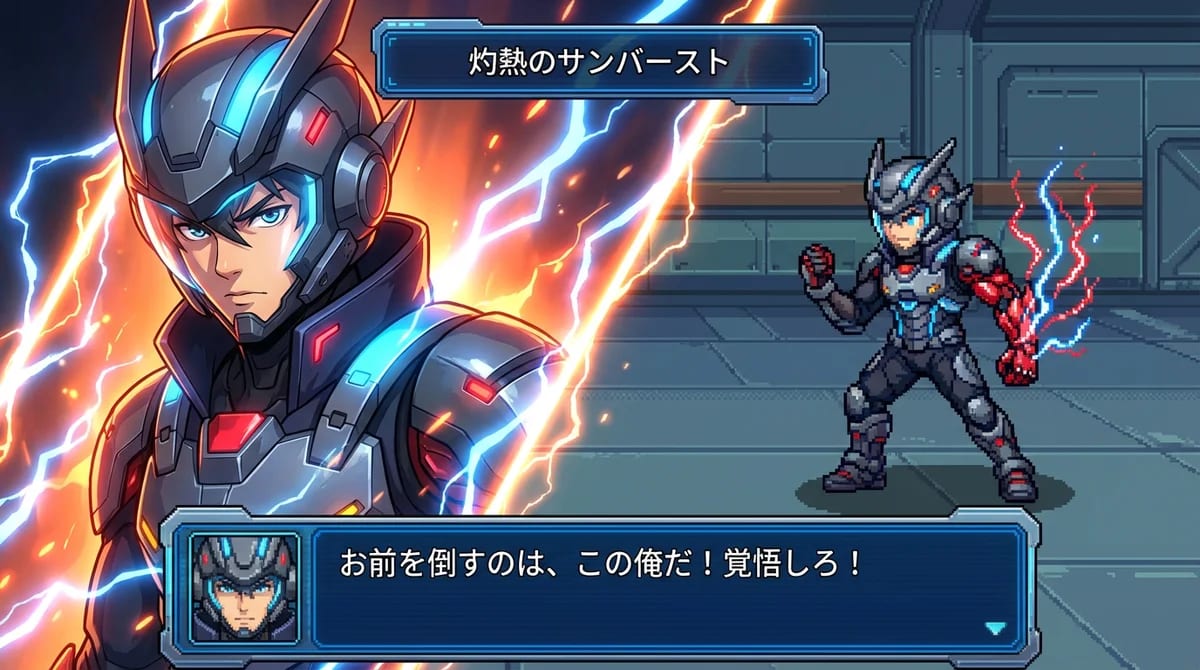
Create Your SRW Battle Scene - AI-Powered Generator
Upload a character reference and customize your attack name and dialogue to generate your srw battle scene
Upload a left-facing full-body image for best results
SRW Battle Scene Generator Examples
See what others have created with the SRW Battle Scene Generator
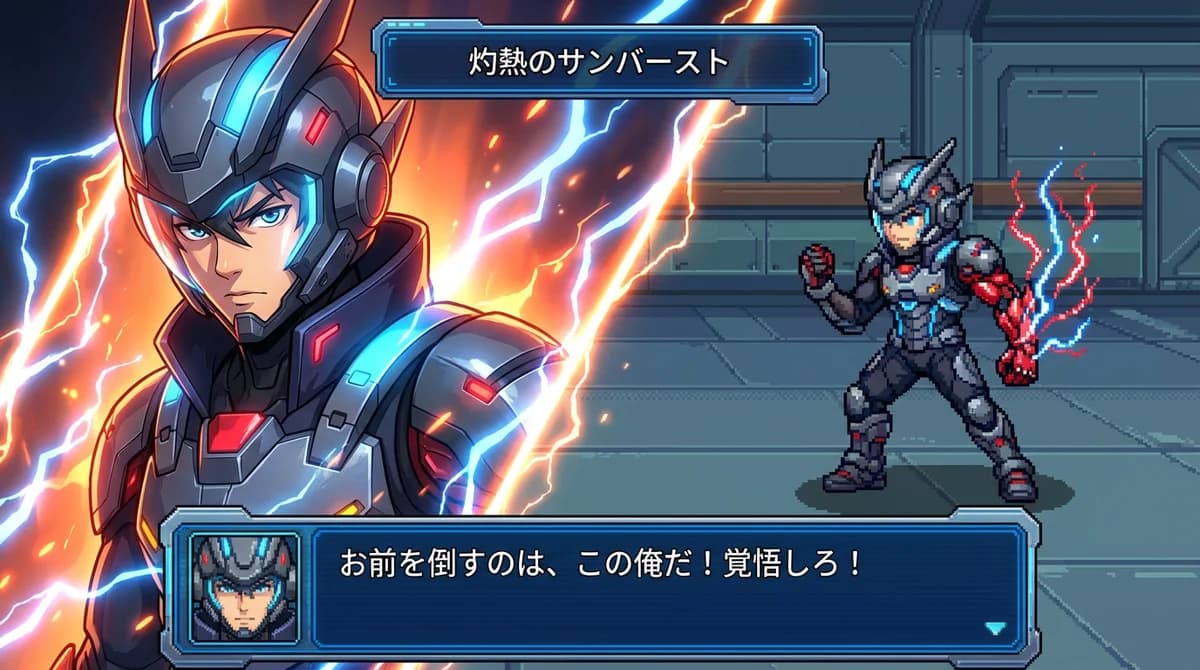
Mecha pilot in attack stance
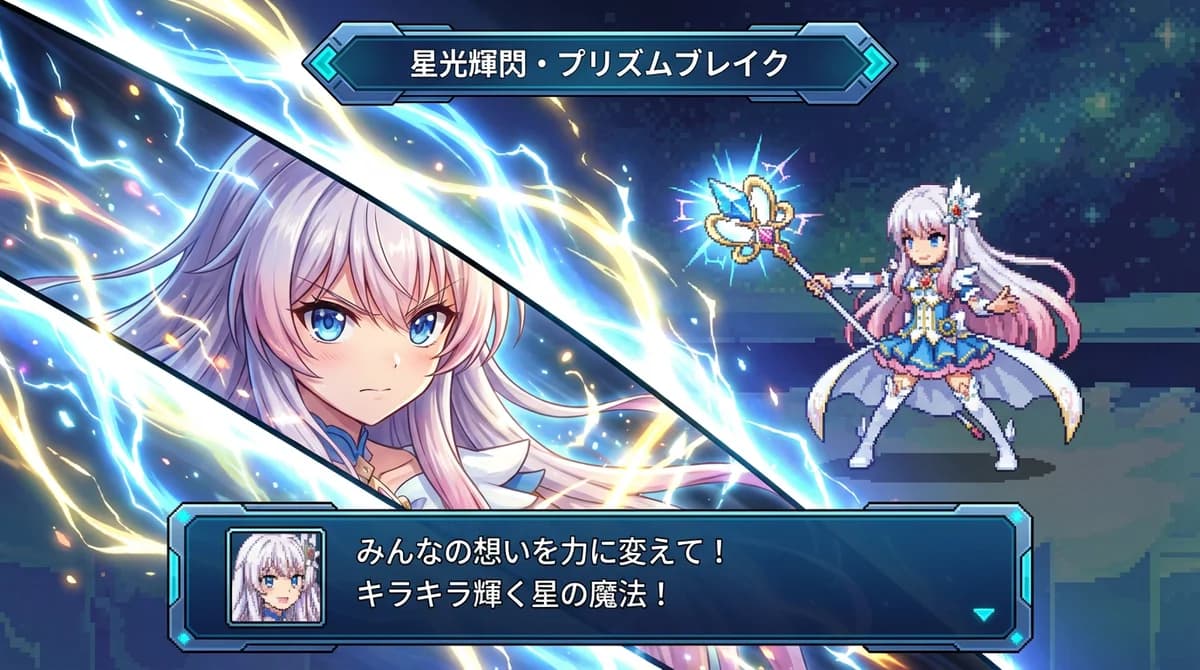
Anime character special attack
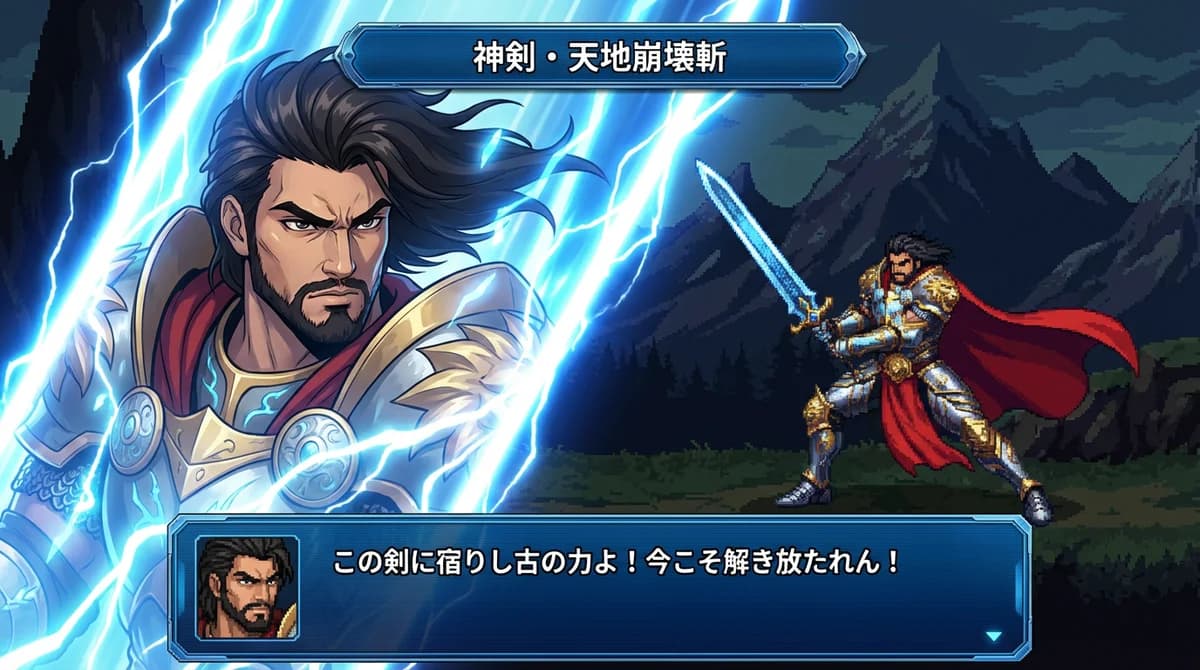
Original character showcase
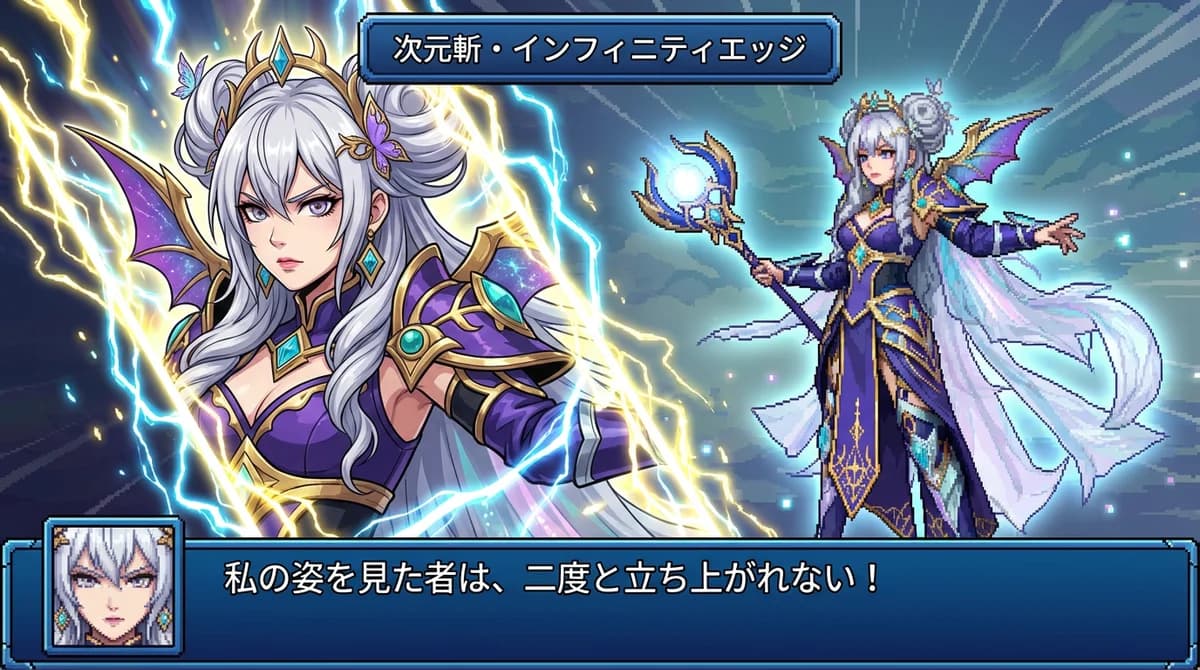
Cosplay to game style
All examples generated with Nano Banana Pro SRW Battle Scene Generator
What is Super Robot Wars Style? SRW Battle Scene Generator Guide
Super Robot Wars (SRW), known as Super Robot Taisen in Japan, is a legendary tactical RPG series spanning over 30 years. The games are famous for their distinctive battle cutscene animations featuring SD (super deformed) pixel sprites, dramatic diagonal cut-in portraits, and iconic UI elements. The SRW battle scene generator recreates this iconic aesthetic for modern AI-powered creation.
The SRW visual language includes several key elements: 16-bit SD pixel sprites that capture character poses in charming retro style, diagonal energy-defined cut-in frames that showcase dramatic close-ups, technique name windows displaying attack names in bold text, and dialogue boxes with small face icons for character reactions and battle cries. Our SRW battle scene generator combines all these elements into one cohesive visual system.
Our SRW battle scene generator recreates this complete visual package using AI, allowing you to transform any character into an authentic-looking Super Robot Wars battle cutscene without any pixel art or UI design skills required. With the srw battle scene generator, you get instant professional-quality results that capture the essence of classic SRW battles.
SRPG Battle UI Features - SRW Battle Scene Generator
Complete recreation of Super Robot Wars battle cutscene elements for the SRW battle scene generator
SD Pixel Sprite
16-bit style character transformation that matches your reference pose, rendered in authentic retro pixel art. This core feature of the SRW battle scene generator brings your characters to life in classic game style.
Energy Cut-In
Diagonal energy-defined portrait frame with glowing effects - no geometric borders, just pure energy. A signature element of the SRW battle scene generator aesthetic.
Technique Window
Customizable attack name display at the top of the screen, styled with the classic SRW metallic UI. The SRW battle scene generator renders these with perfect period-accurate styling.
Dialogue Box
Character dialogue window with pixel art face icon, supporting any language for your custom lines. Complete the SRW battle scene generator experience with authentic character interactions.
Perfect For Creators - SRW Battle Scene Generator
Whether you are an artist, content creator, or gaming enthusiast
OC Character Showcases
Transform your original characters into dramatic SRW battle scenes using the SRW battle scene generator. Perfect for artists and character designers who want to showcase their creations in a unique game-style format.
Fan Content Creation
Put your favorite anime, manga, or game characters into authentic Super Robot Wars battle cutscenes with the SRW battle scene generator. Create crossover content that fans will love.
Social Media Posts
Generate nostalgic gaming content that drives engagement using the SRW battle scene generator. SRW-style battle scenes are highly shareable and resonate with retro gaming communities.
TTRPG Character Cards
Create dramatic battle cards for tabletop RPG characters with the SRW battle scene generator. The pixel sprite and dialogue box format works perfectly for character introductions and special moves.
Affordable SRW Battle Scene Generator Pricing
SRW battle scene generator: 50-80 credits per generation based on resolution
55 images package
- GPT-Image-1: 55 images (10₵/image)
- Nano Banana: 27 images (20₵/image)
- Nano Banana Pro: 11@1K / 9@2K / 6@4K (50-80₵/image)
- 550 credits total
- 6+ artistic styles
- Up to 4K resolution (4096×4096)
- Commercial usage rights
120 images package
- GPT-Image-1: 120 images (10₵/image)
- Nano Banana: 60 images (20₵/image)
- Nano Banana Pro: 24@1K / 20@2K / 15@4K (50-80₵/image)
- 1200 credits total
- 6+ artistic styles
- Up to 4K resolution (4096×4096)
- Commercial usage rights
300 images package
- GPT-Image-1: 300 images (10₵/image)
- Nano Banana: 150 images (20₵/image)
- Nano Banana Pro: 60@1K / 50@2K / 37@4K (50-80₵/image)
- 3000 credits total
- 6+ artistic styles
- Up to 4K resolution (4096×4096)
- Commercial usage rights
Frequently Asked Questions
Everything you need to know about SRW battle scene generation
What resolution are the generated images?
With the SRW battle scene generator, you can choose from three resolution tiers: 1080P (1920x1080, 50 credits), 2K (2560x1440, 60 credits), or 4K (3840x2160, 80 credits). Higher resolutions provide more detail in the pixel art sprites and UI elements, making them suitable for larger displays or print materials. The SRW battle scene generator scales beautifully across all resolutions.
Can I use generated images commercially?
Yes, all images generated with Nano Banana Pro include commercial usage rights. You can use them for social media content, YouTube videos, merchandise, game assets, and other commercial projects. However, please note that if your reference image contains copyrighted characters, the commercial use of the output may be subject to the original copyright holder's terms.
Why does my character need to face left?
The SRW battle UI layout traditionally places the player character on the right side of the screen, facing left toward enemies. When using the SRW battle scene generator, a left-facing reference image helps the AI accurately replicate your character's pose and orientation in the SD pixel sprite. If your reference faces right, the SRW battle scene generator may need to flip or reinterpret the pose, which can reduce accuracy.
Can I customize the UI colors?
The current version generates authentic SRW-style UI with the classic blue, metallic grey, and cyan color scheme. Custom color options are planned for a future update. The AI focuses on recreating the distinctive visual language of Super Robot Wars games, including the energy effects, technique name windows, and dialogue boxes.
What makes this different from regular pixel art generators?
Regular pixel art generators only convert images to pixel style. The SRW battle scene generator creates a complete game battle UI layout including: (1) SD-style 16-bit pixel sprite matching your character's pose, (2) diagonal energy cut-in frame with the original portrait, (3) technique name window, (4) dialogue box with pixel face icon. Unlike generic tools, the SRW battle scene generator specifically recreates the full Super Robot Wars battle cutscene experience.
Is Japanese text required for attack name and dialogue?
No, you can use any language for the attack name and dialogue. Japanese text works well because it matches the SRW aesthetic, but English, Chinese, Korean, or other languages are fully supported. The AI will render your text in the appropriate UI windows regardless of language.
How long does generation take?
With the SRW battle scene generator, generation typically takes 30-60 seconds depending on server load and your selected resolution. Higher resolutions may take slightly longer with the SRW battle scene generator. You'll see real-time status updates during the generation process.
What image formats are supported for upload?
We support PNG, JPG, JPEG, and WebP formats up to 10MB. For best results, use a clear, high-quality image with good lighting and a visible full-body pose. Transparent PNG backgrounds work well for character artwork.
🔗 Related AI Tools
Explore more creative AI-powered image generators and style transformation tools
Nano Banana Pro
NEW!Studio-quality AI image generator powered by Google Gemini 3 Pro with 2K/4K resolution support
Anime Hybrid Portrait Generator
NEW!Blend realistic photos with Japanese anime elements - companions, magical objects, energy effects
Chibi Plush Generator
PopularTransform photos into adorable chibi plush toy style with soft textures
Character Figurine Generator
PopularCreate detailed character figurines with professional 3D modeling aesthetic
Pop Art Vector Portrait
NEW!Transform photos into vectorized flat-color pop art with Andy Warhol aesthetics
Bottle Diorama Generator
PopularTransform into a tiny figure trapped in hyper-realistic glass bottle worlds
Create Your SRW Battle Scene Now
Transform any character into an authentic Super Robot Wars style battle cutscene with the SRW battle scene generator in seconds.
50-80 credits per generation
Contact Us
Have questions or suggestions? Feel free to get in touch